flipping pages
Updated 2 months ago
recently, Karl and i were brainstorming what board games might look like in the context of a physical computing environment. with the progress that Omar has made on general object tracking in folk, we were beginning to move past thinking in promisingly broad (but also vague) terms, and toward concrete questions about how it might work in practice. what would the interface look like? feel like? how would people interact with it?
there remains an incredible amount of work to be done in proving out the depths of physical computing in general. not just in terms of what we make with computers, but how we work with them.
a catalyzing lens through which to view this problem space is to think of computing as enchantment. start with the physical world. how do the digital and physical intertwine and integrate with one another? in what ways are they halves of the same whole?
our conversation wandered to the question of how to keep track of entities on the play field. similar to the debugging interface Omar had built, what if we had a page that dynamically displayed “portraits” of various characters/objects, as well as their status, in real-time?
this brought me to think about other ways people organize and keep track of entities in table-top games, like with guess who:

my mind then wandered to trading card games:
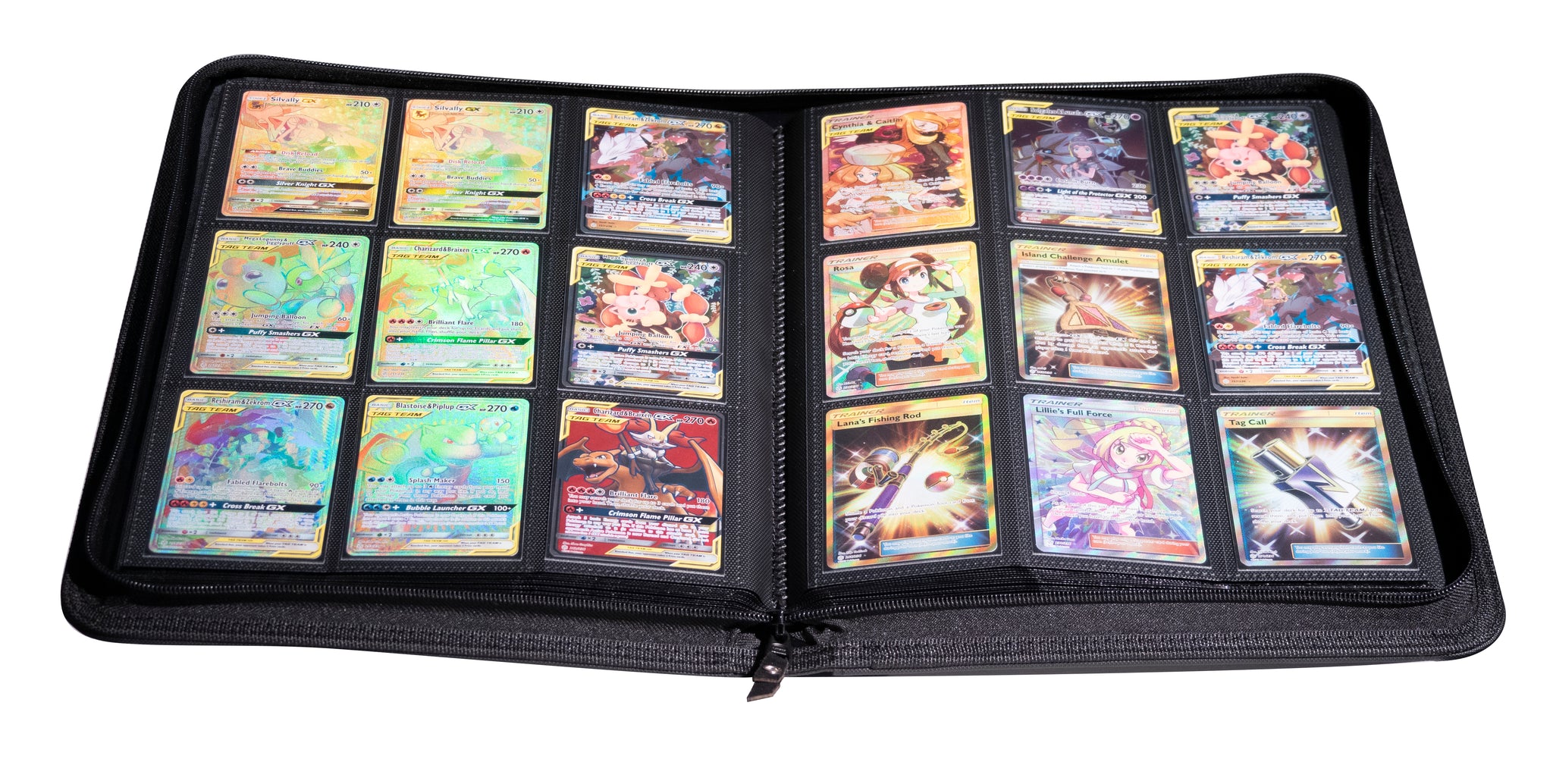
to stay organized, trading card game players often carry their cards in a binder—organizing their decks page-by-page, both for protection and ease of access. their cards are no longer a stack, but instead a book.
a book. what if flipping the pages of a book could actually control a dynamic interface?
initial experiments
a nuance about physical books that’s worth calling out is that they integrate content display and interaction surface into one coherent object. this is not something to take for granted in a digital context, so it’s worth interrogating the importance and value of this assumption.
in my first prototypes, the content view and interface controller were split out as two distinct mechanisms. this configuration could prove useful in scenarios where the content being displayed exceeds the bounds of the controller.
functional fixedness vs flexibility
something immediately interesting with these early iterations was the ease with which simple shifts in physical orientation could yield dramatically different feeling interactions. below, you can see the page controller used in two distinct modes: first in its intended use case, and in an alternative, touch-like configuration in the second, achieved by simply flipping the entire page on its back.
this flexibility extends to more fine-grained interactions as well. consider the differences between these two gestures:
both of these movements accomplish the same goal: breaking folk’s recognition of a program’s tracking tag, causing the logic associated with it to be run once more when the system again detects it. the feel of the interaction, however, differs entirely between these two examples. the former feels like a touch screen, while the latter feels like a motion-based gesture system.
this is the power and nuance of physical objects: they can be understood, used, and recontextualized via direct manipulation.the blank page
digital, material
these early iterations quickly highlighted some issues. first is the problem of using a single sheet of paper for the controller: trying to pick up and manipulate individual sheets of paper from a table can be somewhat cumbersome. this thinness can also make the interaction feel similarly ephemeral or abstract - it does not “sell” the physicality as much as some other forms and materials might be capable of.
physicality is not simply a pleasant nicety, but essential to grounding and teaching interaction logic to the end user. they suggest a certain method of interaction, while also providing physical anchors that allow for the building of muscle memory, the same way that physical controls in a car or on a pair of headphones might.
fitting the prototype to the form of a small notebook immediately improved the feel of the interaction.
this is what we mean when we say that a physical computing system gives us the “physical world for free”: we no longer need to create elaborate simulacra to emulate the richness of the real world, because we can simply use the genuine article.
there was still something that ultimately felt unconsidered about this iteration, however. as we discussed earlier, books work by integrating content and control into one object. in our prototypes up to this point, these two things have remained separate: the notebook’s pages are blank.
it’s entirely possible to imagine modified or entirely new book-esque form factors that lean more fully into functioning as a isolated, dedicated control. but in this scenario, the lack of content on the page made the interaction feel unfinished.
there’s something magical about seeing a program interact fluently with an object in the real world. after quickly testing what it might look like to display a program directly on the book’s pages, i knew i needed to integrate the view and controller into a single object.
this immediately felt “right,” making the interaction feel compelling in a way that prior iterations did not. this was compounded by the fact that, other than a set of 3 to 4 pages, the prototype remained entirely functional as a regular notebook — one that you can draw, doodle, and write in with regular pen, pencil, and marker. there were no embedded electronics to maintain, charge, or replace.
during the design and development process, i had kept the content shown limited to fairly simple debug information. this was useful for that process, but otherwise didn’t really do much in communicating the concept as much as actual content might. after all, a good demo should tell a story. people need to understand: what am i looking at? how is it different from what i am used to? and why should i care?demos
i settled on using my prototype to flip through the words of Mark Twain, from his A Tale of Two Cities: a familiar, storybook-like opening which could succinctly convey the mechanism. i added a gradual change in the background to help mark progress through the passage.
future directions

what if our dynamic book had different sections with their own unique behaviors and ways of displaying information?
how could our book “talk” to other things on the table?
what if there were ways to skim and skip through large amounts of content at speed (like riffling pages)?